Help Center
Contents
- General Help
- How do I create a new account for my business?
- How do I add a pickup location?
- How do I change the pickup location for an existing task?
- How do I add orders manually?
- How do I import tasks from a CSV file?
- How do I see the delivery price?
- How do I request a driver?
- When will the driver arrive to pickup the items?
- How do I pay?
- How should I use Jaak on my phone?
- Shopify
- WooCommerce
- Ordable
General Help
How do I create a new account for my business?
- Go to our website: jaaknow.com
- Click the
Registerbutton (top right). - Enter an email address, choose a new password, and enter the company name.
- Click the
Registerbutton to create your new account. - You will receive an OTP via email. Enter it in the specified field and click
Submit. - Log in to your account using the email and password you created.
How do I add a pickup location?
- Go to the Organization Settings page.
- Under the
Your pickup locationssection, click theAdd a new pickup locationbutton. - Set the pickup location using the map. This is where the driver will come to pick up your orders.
- Add a phone number that the drivers will call upon reaching your pickup location.
- Optionally, fill in the
Labelfield to identify this pickup location in your list (for example,Jahra Warehouse). - Optionally, tick the
Make this my default pickup locationcheckbox to make this the pickup location used automatically for new tasks. - Click the
Submitbutton. - To add more pickup locations, repeat the previous steps.
How do I change the pickup location for an existing task?
- Go to the task detail page of the task you want to change.
- Click the
Change pickup locationbutton. - Select the new pickup location from the dropdown.
- Click the
Submitbutton.
How do I add orders manually?
- Go to the plan page.
- Click the
New Taskbutton. - Enter the dropoff for the task. This is where the driver will drop off the order.
- Add the contact details of the customer.
- Click the
Submitbutton. - Repeat the previous steps for each task (order) you intend to deliver.
How do I import tasks from a CSV file?
- Go to the Import CSV page.
- Download the template CSV file to see the expected format. The CSV should have the following columns:
name,phone,email,address_line_1,city,external_ref. - Fill in the CSV with your task data. Each row represents one task. At least one of
address_line_1orcitymust be provided. - Upload the CSV file by dragging and dropping it, or by clicking to browse.
- Review the imported tasks. Valid rows will be marked in green, invalid rows in red with an error message.
- Click the
Createbutton to create all valid tasks.
How do I see the delivery price?
- After you have added your tasks, go to the plan page.
- Select all tasks that are ready for delivery. By default, all tasks are selected for you.
- Click the button to view the delivery price for your selected orders.
How do I request a driver?
- After checking the price, click the
Confirm Purchasebutton. - Go to the track page to view the status of your batch.
- When a driver is assigned, the status badge will change from blue to green.
When will the driver arrive to pickup the items?
On average, our drivers arrive within 1 hour after you click theConfirm Purchase button. In some cases (due to the time of day, day of week, pickup location, etc), our driver may take longer to arrive.How do I pay?
You will receive an invoice from Jaak at the end of every month. You may see all your invoices on the invoices page. You should not pay the driver.How should I use Jaak on my phone?
The easiest way to use Jaak on your phone is to add it to your home screen so it opens like an app. Watch the video below to learn how.This works on both iOS and Android.Shopify
How do I add a new task from Shopify?
- Make sure that you have connected your Shopify store to Jaak. You may follow these instructions to connect your Shopify store to Jaak.
- Go to any order detail page on Shopify.
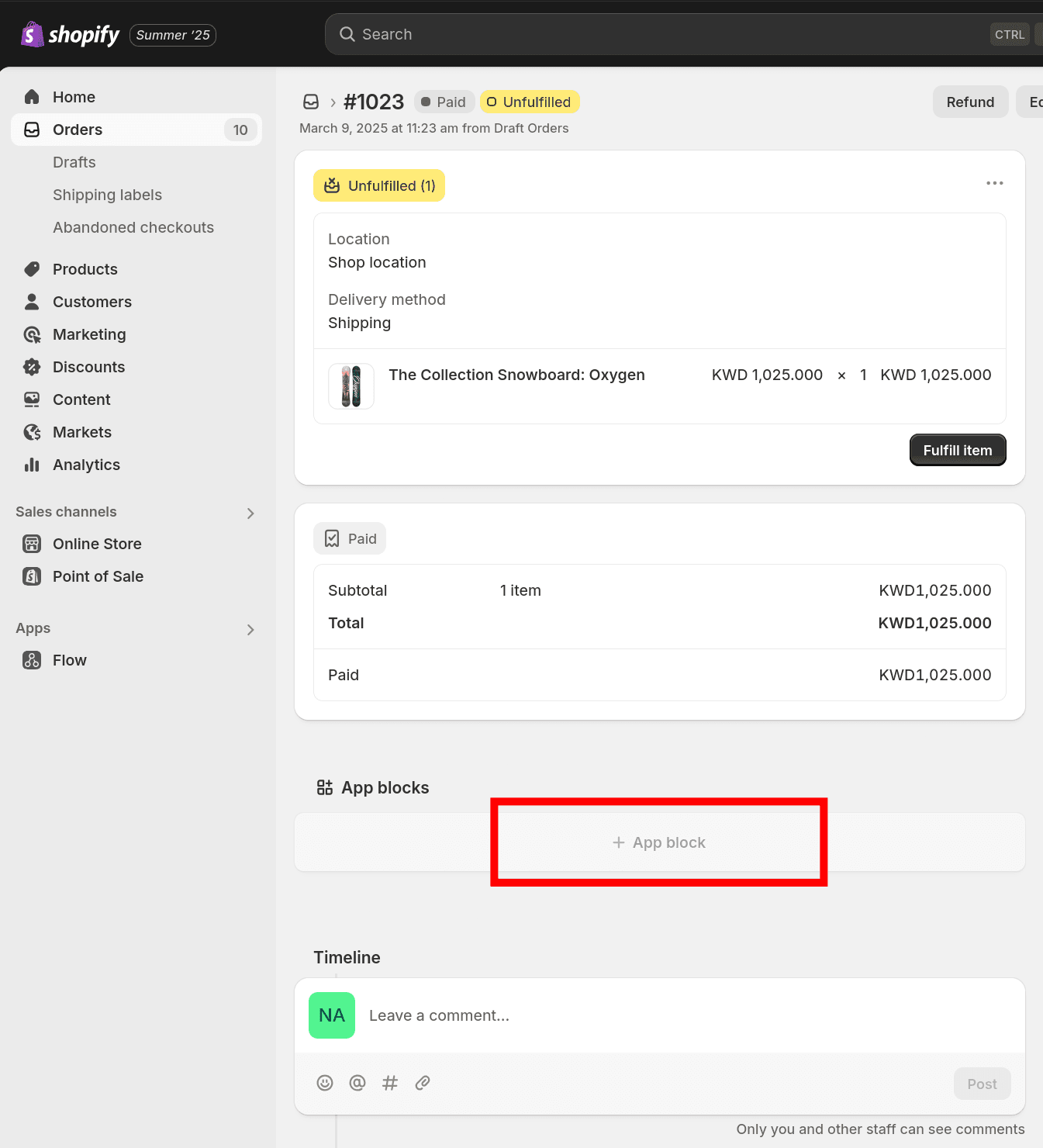
- Click the
+ App blockbutton.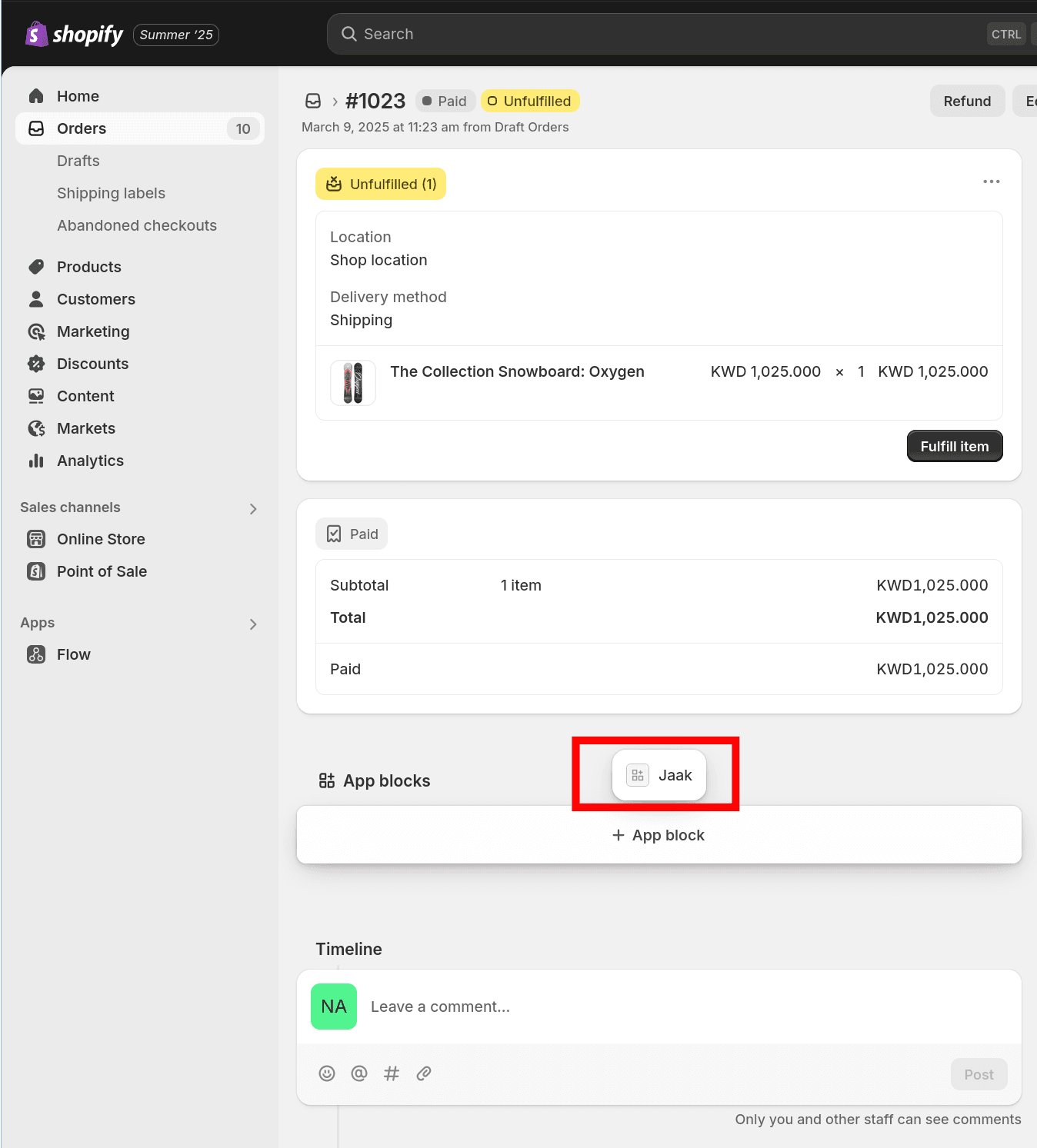
Is the
App Blocksection now showing properly?Sometimes, this section is hidden. To fix it:
- On Windows: hold the
CtrlandShiftkeys, then press theRkey. - On a Mac: hold the
CmdandShiftkeys, then press theRkey.
If the
Jaakmenu item or the+ App Blockbutton is still missing after the page reloads, make sure that you have installed the Jaak Shopify App, or try a different browser.This is a known Shopify bug.
- On Windows: hold the
- Click on
Jaak.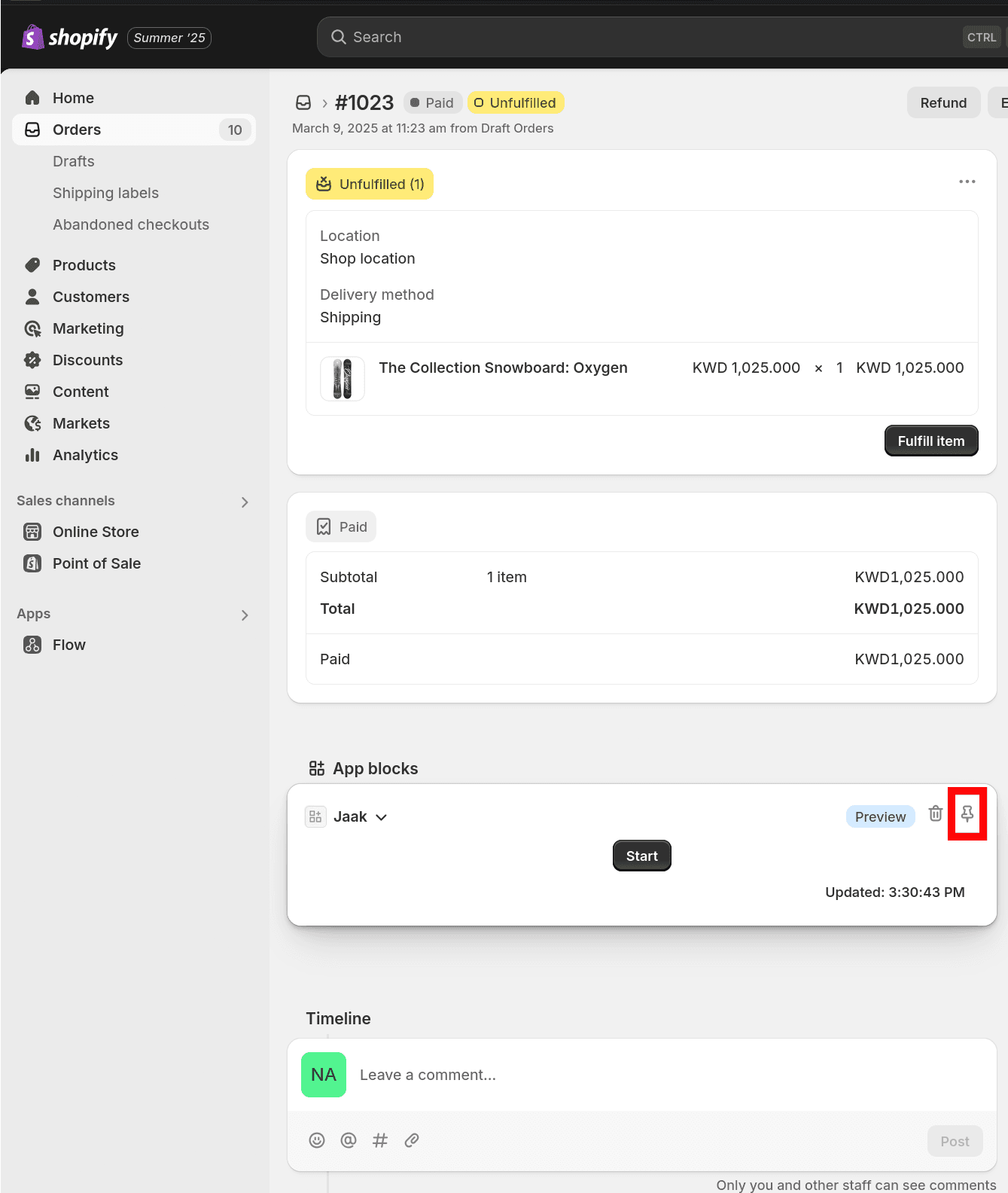
- Click the pin icon.
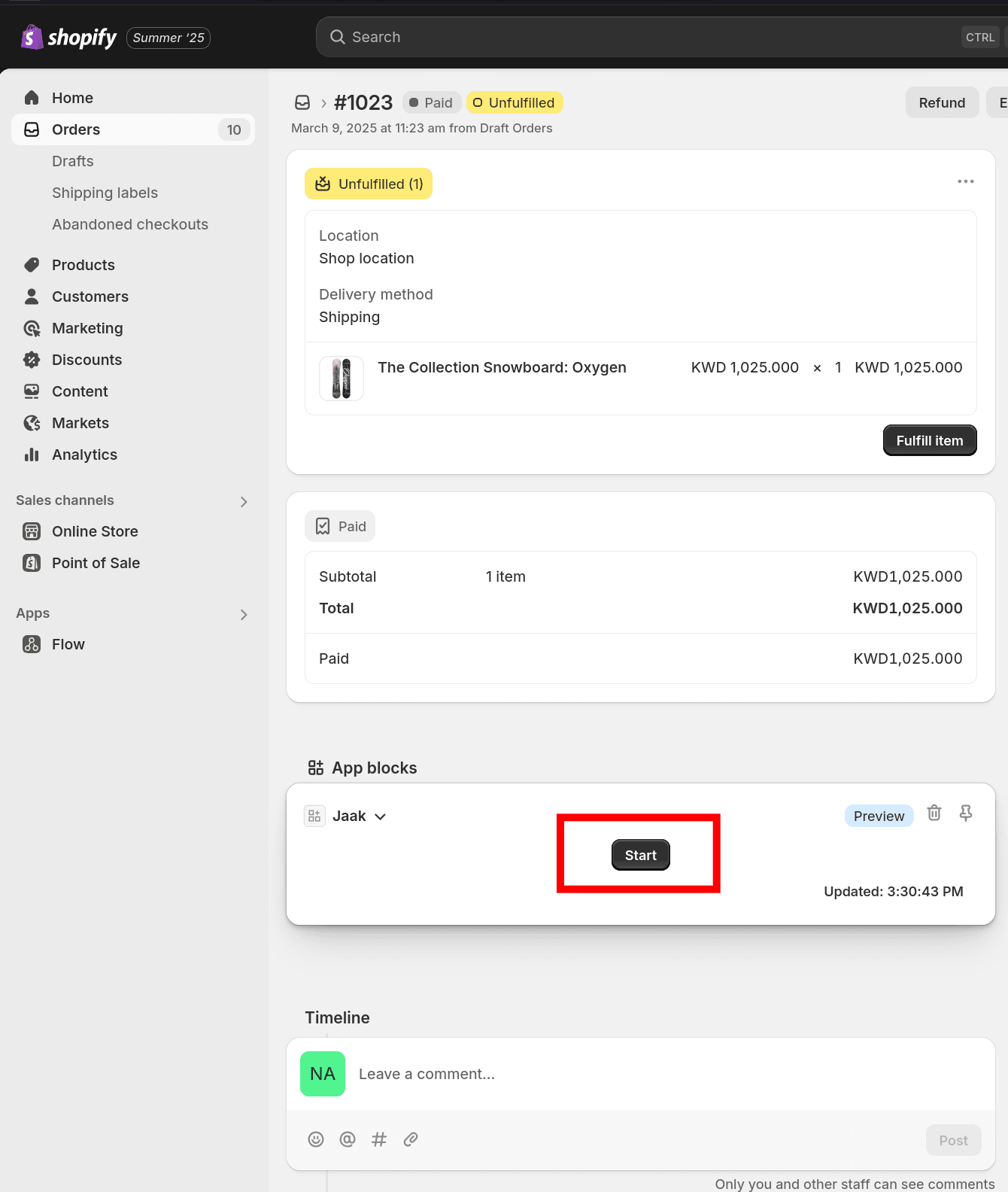
- Click the
Startbutton to create a new task in Jaak.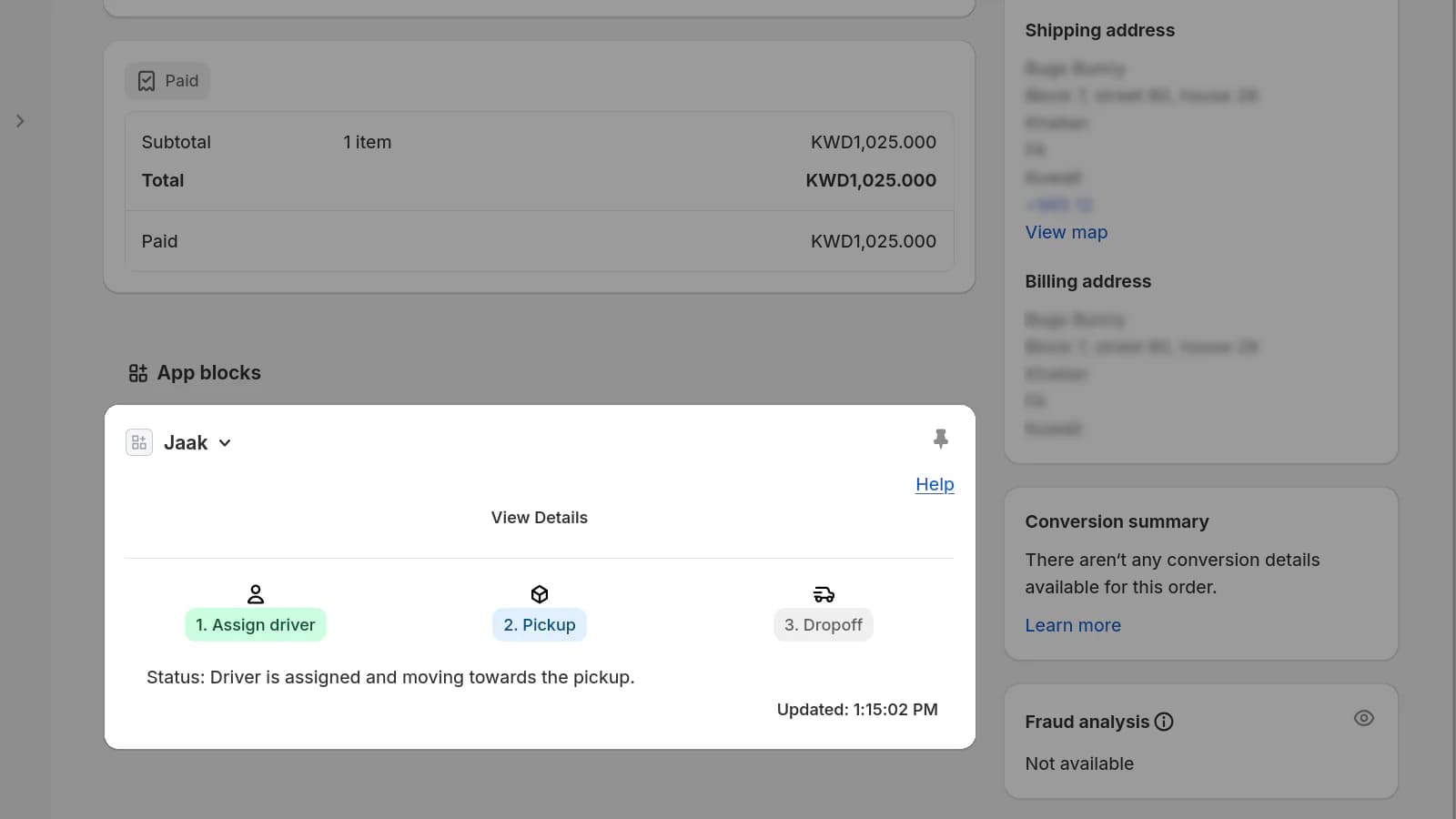
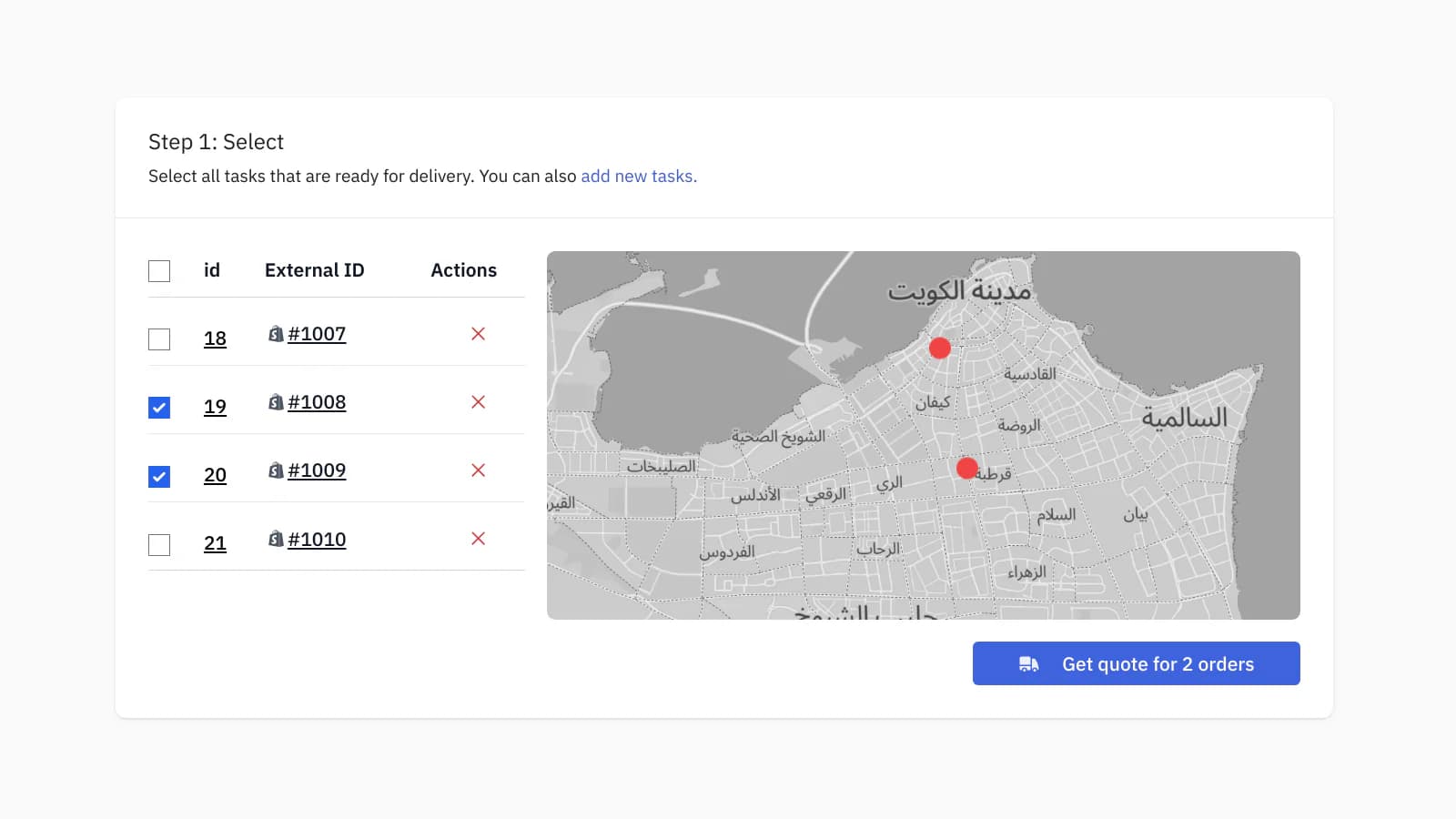
- You can see the new task in your Jaak dashboard on the plan page. You may watch this video for a demonstration.
How do I bulk add multiple new tasks from Shopify?
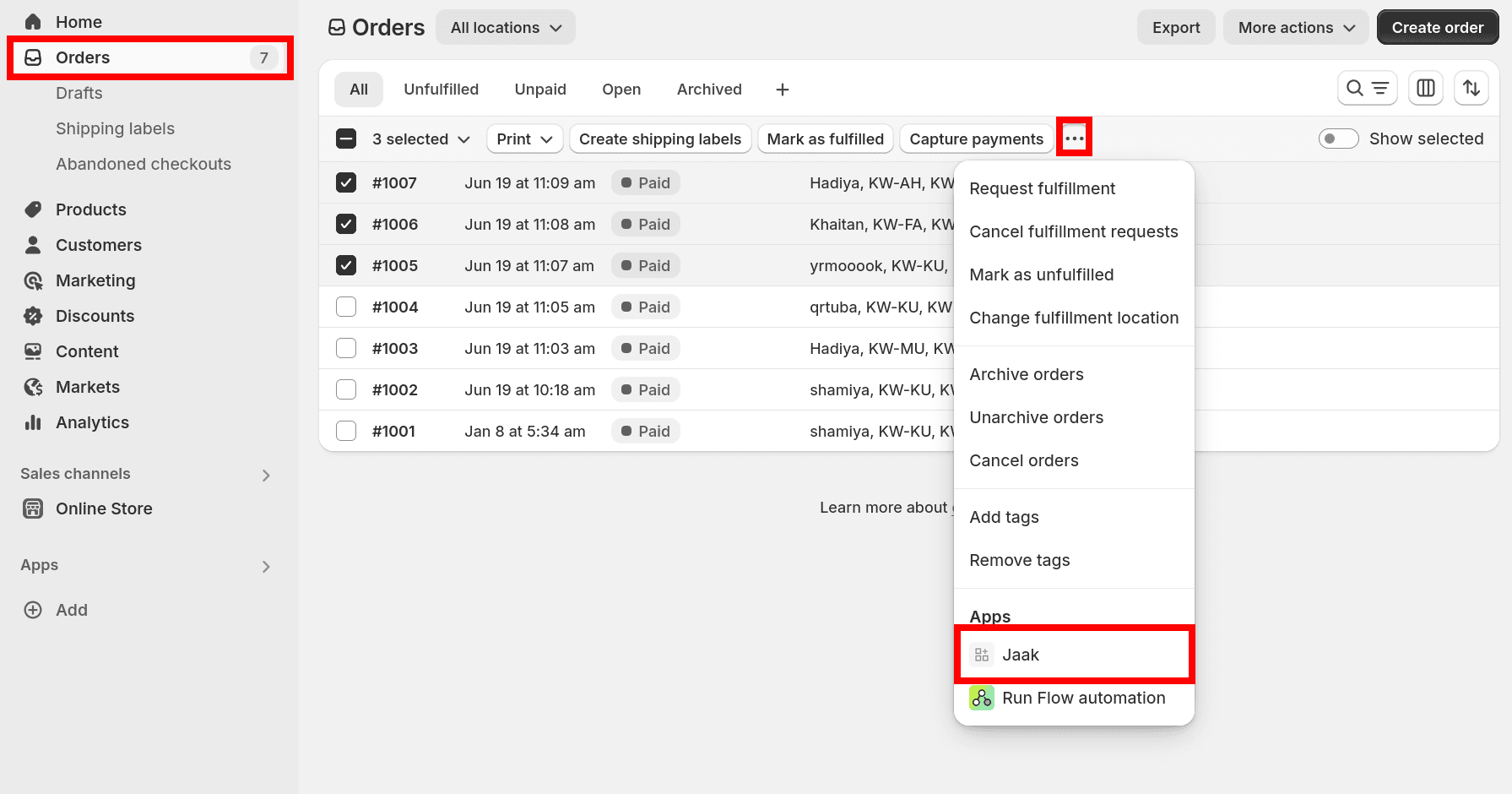
- Go to the
orderspage on Shopify. - Select the orders you want to send to Jaak.
- Click
...in the menu bar. - Click
Jaak.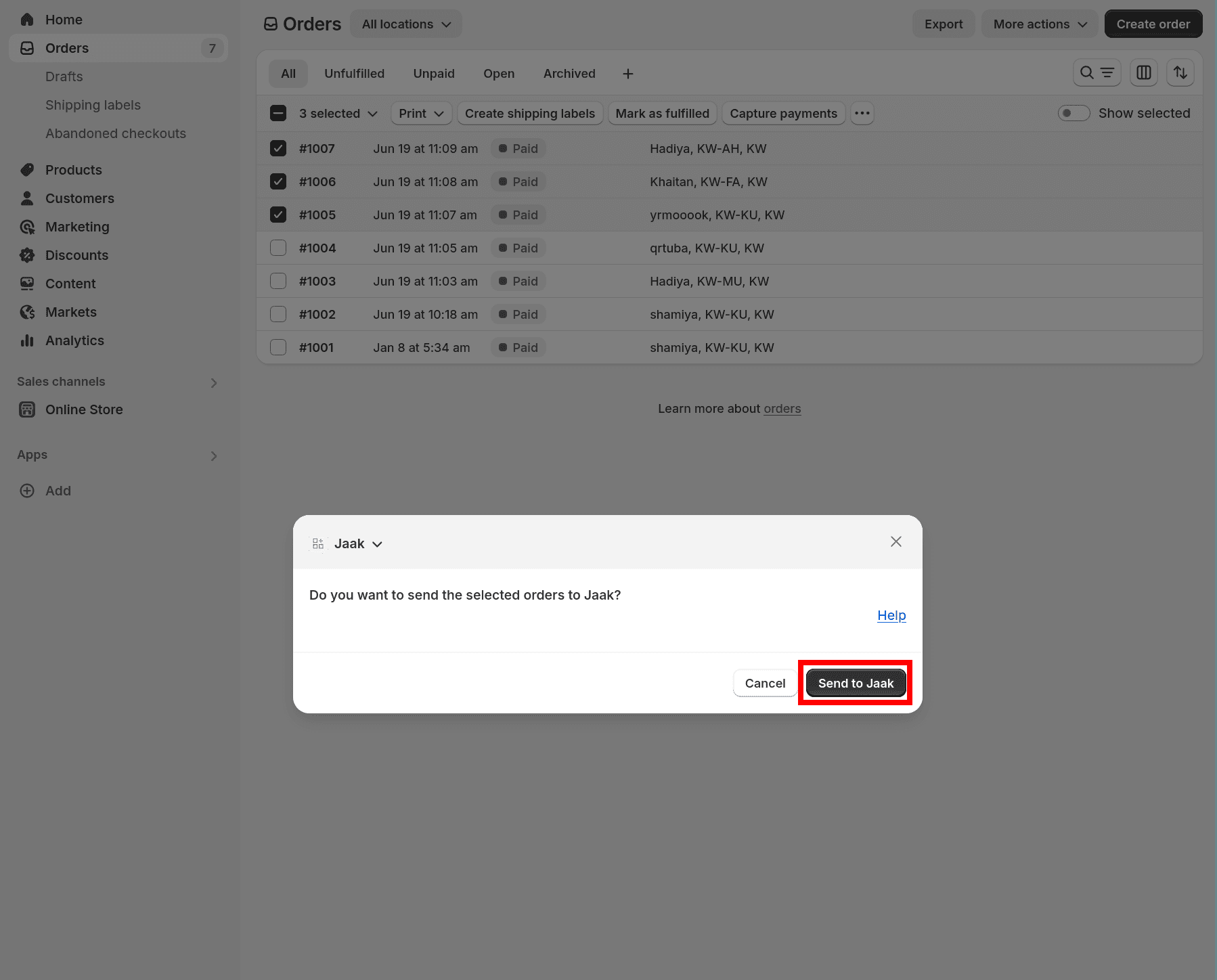
- Click
Send to Jaak.
How do I connect my Shopify store to Jaak?
- Go to the Jaak Shopify App page.
- Click the
Installbutton (or theOpenbutton).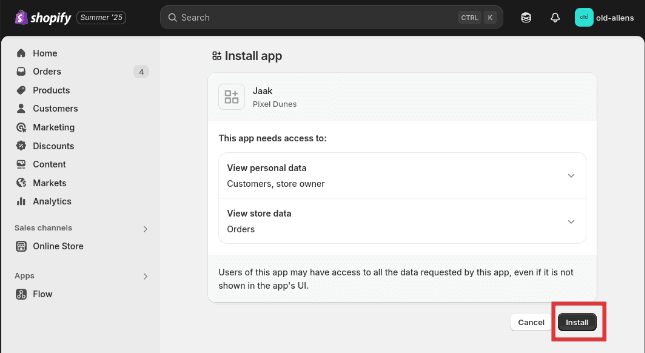
- You will be taken to the Jaak website and asked to sign in. If you do not have a Jaak account yet, please create one now.
- You will be asked if you want to connect your Shopify store to Jaak. Click the
Yesbutton to proceed. - If installation is successful, you will be taken back to the Organization Settings page. You will see your Shopify store name listed under
Connected Shopify Storessection. If the installation was not successful, please repeat the above steps. - You may repeat the above steps to connect multiple Shopify stores to Jaak.
How do I use the Jaak Shopify app through the Shopify mobile app?
You may use the Jaak Shopify app through the Shopify mobile app. Watch the video below to learn how.WooCommerce
How do I connect my WooCommerce store to Jaak?
- The Jaak for WooCommerce Plugin may be installed by following the steps show in the video below.